How to use
- Drop an image on the box, click it to choose one, or paste with Ctrl+V. PNG, JPG, WebP and GIF work.
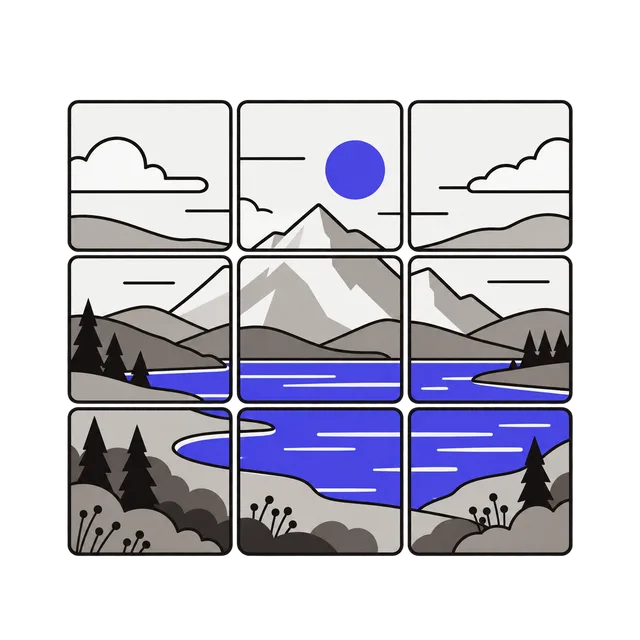
- Choose Divide equally and set the rows and columns, for example 1 row by 3 columns for a panorama, or 3 by 3 for a grid post.
- Or choose By tile size to cut fixed-size pieces in pixels, such as 1080 × 1080.
- Click Split image, then download each tile, or Download all. Tiles are numbered row by row so they stay in order.
Split a photo into a grid for Instagram
A grid post spreads one picture across several posts so it appears whole on your profile. Split the image into 3 columns (one row for a strip, or 3 rows for a big 3 × 3 picture), then post the tiles starting from the last one: the newest post appears top left, so the bottom-right tile goes up first.
For a swipeable panorama in a single carousel post, split a wide photo into 1 row and 2 to 10 columns instead, and upload the tiles in order from left to right. When the slides are swiped, the photo scrolls as one continuous image.
Print a big poster on normal paper
To print a large image without a poster printer, split it into a grid and print each tile on its own sheet of Letter or A4 paper, then tape them together. A 2 × 2 grid makes a poster about twice the width and height of one page, a 3 × 3 grid about three times.
Use the highest-resolution image you have, and set the printer to fit each tile to the page with the same margins so the pieces line up.
| Grid | Tiles | Good for |
|---|---|---|
| 1 × 3 | 3 | Instagram row, wide banner |
| 3 × 3 | 9 | Grid post, puzzle, poster on 9 pages |
| 2 × 2 | 4 | Poster on 4 sheets of paper |
| 1 × 2 to 1 × 10 | 2–10 | Panorama carousel |
Frequently asked questions
Does splitting reduce the image quality?
The tiles are cut from the full-resolution original, not a preview. PNG tiles keep every pixel exactly; JPG and WebP tiles are saved again at high quality, which is very hard to tell from the original.
What if the image does not divide evenly?
With Divide equally, every tile gets the same size and the last row and column take the few leftover pixels. With By tile size, the last row and column hold whatever is left, so they can be smaller than the others.
Why does my browser ask about multiple downloads?
Download all saves every tile as a separate file. Some browsers ask once for permission to download several files from the same page; allow it to get all the tiles.
Are my photos uploaded?
No. The image is cut in your browser and the tiles are created on your device, so nothing is sent anywhere.