How to use
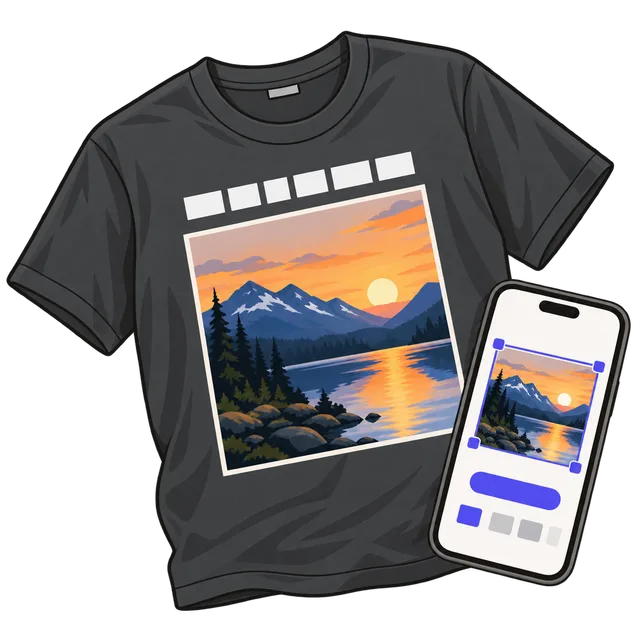
- Choose a photo, or drop or paste it. Drag it inside the square frame and zoom with the slider, the mouse wheel or two fingers until the faces sit where you want them.
- Type your text, choose whether it goes above or below the photo, then pick a font, a size and a color. Tap a shirt color to see how it looks on the fabric.
- Pick the print width. 11 inches suits most adult shirts; check the photo detail line under the preview.
- Download the design PNG for Jiffy or a local shop, or a print-area file for Printify: 15 × 18 in for a T-shirt, 15 × 17 in for a sweatshirt or hoodie.
What makes a photo shirt print well
Shirt printers work at 300 DPI: 300 pixels for every inch of print. An 11 inch wide design is therefore 3,300 pixels wide, and the photo inside it needs enough real detail to fill that. The line under the preview shows how many pixels per inch your photo will print at. Use the original photo from your phone or camera, not a screenshot or a picture saved from social media, which are much smaller.
The file has a transparent background, so only the photo and the text are printed and the shirt color shows around them. The text is a solid color with no shadow or glow: Printify's own PNG guide warns that soft, semi-transparent edges print as a chalky white layer on dark shirts.
White or yellow text reads best on dark shirts like black, navy or pepper gray; black or navy text on white, sand or light pink.
Which file to upload where
Every download is the same design at 300 DPI. Only the canvas around it differs: trimmed to the design, or the full front print area of a T-shirt (4500 × 5400 px) or a sweatshirt or hoodie (4500 × 5100 px).
| Where you print | File to use | What to do |
|---|---|---|
| Printify T-shirt | T-shirt print file (15 × 18 in) | Upload it to the front print area. It already fills the area, with the design centered at the top. |
| Printify sweatshirt or hoodie | Sweatshirt or hoodie file (15 × 17 in) | Same as the T-shirt; the print area is shorter, so use this file instead. |
| Jiffy | Design PNG | Upload it in the design tool and size it to the print width you chose. |
| Local print shop | Design PNG | Send the file and tell them the print width, for example 11 inches. |
| Iron-on transfer paper | Design PNG | Print at 100% on the paper and follow its instructions; papers for light fabric usually need the image mirrored. |
How to order on Printify
Printify is a print-on-demand service: you design a product once, then order it for yourself or sell it in an online store, and a partner print shop makes and ships each order. Create a free account, open the Catalog and pick a T-shirt such as the Comfort Colors 1717 or the Bella+Canvas 3001, then choose a print provider.
Click Start designing, upload the print-area file for your product (T-shirt or sweatshirt and hoodie) to the front, and check that Printify shows no low-resolution warning. Print areas differ a little between blanks, so if the file doesn't line up, check the size shown in the editor. Pick the shirt colors and sizes, then order a sample to see the print before you buy more or publish it to your store.
How to order on Jiffy
Jiffy sells blank and custom shirts and has an online design tool. Start a custom design, upload the design PNG, and resize it on the shirt to the width you picked here. Jiffy recommends PNG files with a transparent background at 300 DPI at print size, which is exactly what this tool makes. Choose the shirt color and sizes and check the preview before you order.
Frequently asked questions
Is my photo uploaded anywhere?
No. The design is drawn in your browser and the file is saved straight to your device. Nothing is sent to fbuff, and only you decide where to upload it.
What size should the print be?
Most adult shirt prints are 10 to 12 inches wide; 11 inches is a safe middle. Use 8 inches for kids' shirts. The height follows from the square photo plus the text.
Why does the tool say my photo may print blurry?
The photo has fewer than 150 real pixels for each inch of print. Zoom out so less of it is enlarged, choose a smaller print width, or use the original photo rather than a screenshot. Raising the DPI number of a small file does not add detail.
Can I use the design on a hoodie, tote bag or mug?
Yes. The design PNG works on any product that takes a transparent PNG. Upload it and size it on the product, or ask the shop for their print size.
Is it free?
Yes. There is no sign-up and no watermark. You only pay the print service you choose for the shirt itself.