How to use
- Type or paste text into the Input box.
- Choose a mode: Reverse characters writes the text backwards, Reverse words flips the word order, Reverse lines flips the line order, and Flip upside-down turns the text upside down.
- The Output updates as you type. Click Copy and paste the result into a message, a post or a bio.
The four modes, with examples
The same input in each mode:
| Mode | Input | Output |
|---|---|---|
| Reverse characters | Hello world | dlrow olleH |
| Reverse words | Hello big world | world big Hello |
| Reverse lines | one / two / three (on 3 lines) | three / two / one |
| Flip upside-down | Hello | ollǝH |
Backwards text and mirror writing
Reverse characters is the classic backwards text generator: it reads right to left, so a friend has to read it from the end. It is popular for puzzles, secret messages, palindrome checks ("racecar" stays the same) and party games.
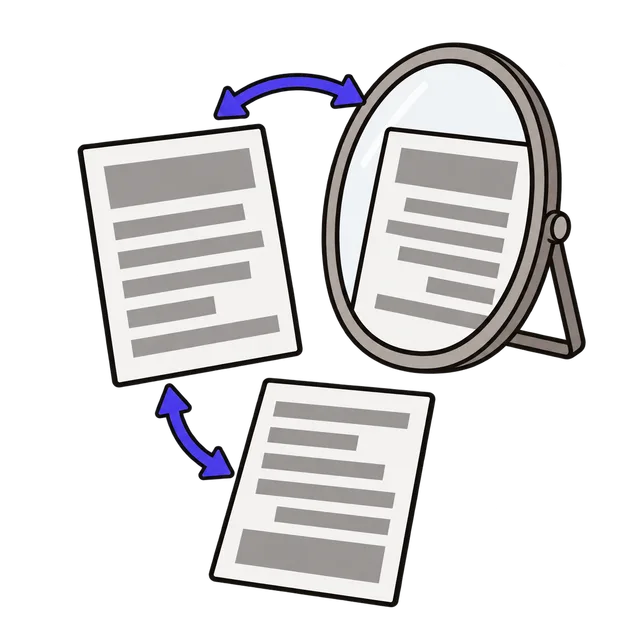
It is not the same as mirror writing, where every letter is also flipped left to right like Leonardo da Vinci's notes. Ordinary fonts have no mirrored letters, so to read mirror writing, hold a page up to a mirror; to create it for a sign or a T-shirt print, flip the image horizontally in an image editor.
How upside-down text works
Flip upside-down does not rotate the text. It swaps each letter for a Unicode character that looks like it upside down (a becomes ɐ, e becomes ǝ, h becomes ɥ) and then reverses the order, so the result reads correctly when the screen is turned around. Because the result is ordinary text, you can paste it into social media posts, usernames and chat apps.
Letters a–z, A–Z, digits and common punctuation are converted. Other characters, such as accented letters, emoji and non-Latin scripts, stay as they are. A few capital letters have no close upside-down look-alike, so some fonts show them in a slightly different style.
Things to know before you paste
Screen readers read upside-down and backwards text letter by letter or not at all, so avoid it for important information. Some sites limit special characters in usernames, and a few older apps show unsupported characters as empty boxes.
Frequently asked questions
How do I write text backwards?
Type or paste it, choose Reverse characters and click Copy. "Good morning" becomes "gninrom dooG".
How do I reverse the order of words in a sentence?
Choose Reverse words. Each word stays readable but the order is flipped, and line breaks stay where they were.
Can I flip a list so the last line comes first?
Yes. Choose Reverse lines. This is handy for a list exported newest-first that you want oldest-first, or the other way round.
Why do some emoji look broken after reversing?
Some emoji, such as family groups and skin-tone variants, are built from several characters joined together. Reversing the characters changes their order, so they can split into separate emoji.
Is my text sent anywhere?
No. The text is changed in your browser and nothing you type is uploaded or stored.