How to use
- Paste your 2FA secret key into the secret field. Spaces and lowercase letters are fine; they are removed and converted automatically.
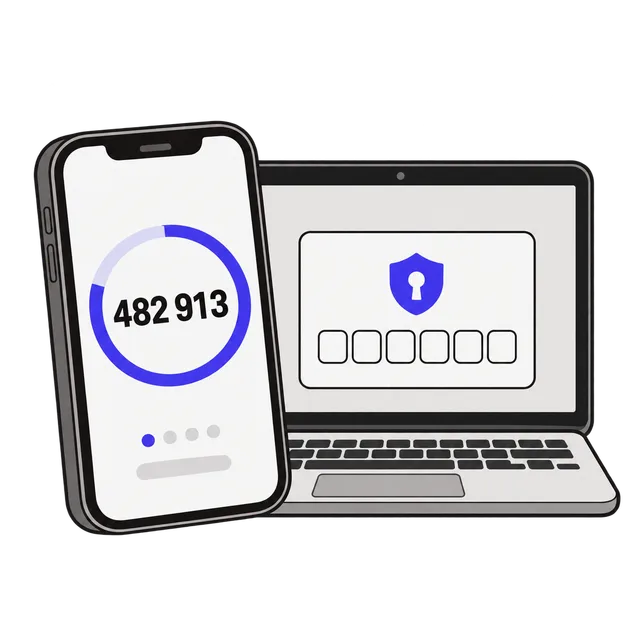
- Read the current 6-digit code. A timer shows how many seconds are left before the next code appears, every 30 seconds.
- Click Copy code and enter it on the site that asked for it.
- To create a new test secret instead, click Generate 16-char secret or Generate 32-char secret and scan the QR code with an authenticator app.
How TOTP codes work
Most two-factor authentication apps use TOTP (time-based one-time password, RFC 6238). When you turn on 2FA, the website gives you a shared secret, usually as a QR code with a Base32 key underneath. Your app and the website both combine that secret with the current time, cut into 30-second steps, using HMAC-SHA1, and turn the result into a 6-digit code. Because both sides do the same calculation, the codes match without any network connection.
This generator uses the same defaults as Google Authenticator, Microsoft Authenticator and most other apps: SHA-1, 6 digits and a 30-second period.
Example
RFC 6238 publishes test values you can check against. The secret GEZDGNBVGY3TQOJQGEZDGNBVGY3TQOJQ (the Base32 form of 12345678901234567890) produces the code 287082 at 59 seconds after 00:00:00 UTC on January 1, 1970. Any correct TOTP implementation returns the same code for the same secret and time.
Where to find your 2FA secret key
During 2FA setup, most sites show a QR code and a link such as "Can't scan it?" or "Enter a setup key". That link reveals the secret as 16 or 32 letters and digits. Save it in a password manager when you set up 2FA: it is the only way to recreate codes if you lose your phone.
If you no longer have the secret, it cannot be recovered from a code. Use the backup codes the site gave you, or contact its support to reset 2FA.
Get a live 2FA code from your secret key
People often search for "2FA live" when they have a 2FA secret key saved, for example from an account they manage, and need the code that is valid right now. Paste the key above and the live code appears at once, then changes every 30 seconds with a countdown, just like 2fa.live and other 2FA code sites.
The difference is where the work happens. Many 2FA code sites do not say what happens to the secret you paste. On this page the code is calculated by your own browser and the key is never sent to a server, which matters because anyone who has the key can sign in as you.
Use it safely
Anyone who has your secret can generate valid codes for your account, so treat it like a password. Use this tool on your own device, not a shared computer. A share link keeps the secret after the # sign, which browsers never send to a server, and the page removes it from the address bar as soon as it opens. For everyday sign-ins, an authenticator app on your phone remains the better choice; this tool is best for testing a 2FA setup, checking a saved secret, or getting a code when your phone is not at hand.
Frequently asked questions
What does 2FA live mean?
It means the current (live) two-factor code for a secret key. 2fa.live is a well-known site for this; this page does the same job: paste the key and copy the 6-digit code before the 30-second timer runs out.
Why is my 2FA code not working?
The most common cause is a device clock that is off by more than a few seconds, since codes depend on the exact time. Turn on automatic time sync and try again. Also check that the secret was copied completely and that the site expects a standard 6-digit, 30-second code.
Is this the same as Google Authenticator?
It uses the same TOTP standard and settings, so the same secret gives the same code in Google Authenticator, Microsoft Authenticator, Authy and this page at the same moment.
Does it work offline?
Yes. Codes are calculated in your browser with JavaScript, so once the page has loaded it keeps working without an internet connection.
Is my 2FA secret sent or saved anywhere?
No. The secret stays in this browser tab: the page makes no network request with it and does not save it, so it is gone when you close the tab. If you accept analytics, only the page address is recorded, never the secret or the part of a share link after the # sign.
Can I use it with Steam or codes that have 8 digits?
Not yet. The generator produces standard 6-digit SHA-1 codes with a 30-second period. Steam Guard and some banking tokens use their own formats.
What is the QR code for?
It encodes the secret as an otpauth:// link. Scan it with an authenticator app to add the secret there, for example when you are testing 2FA in your own application.