How to use
- Pick a format: Code 128, EAN-13, EAN-8, UPC-A or PDF417.
- Type or paste the value. The barcode redraws as you type.
- Optionally set the size (Auto, or a custom width and height from 100 to 2000 px), hide the human-readable text, or turn the background off for a transparent PNG. For PDF417, choose the number of data columns.
- Click Download PNG and place the image in your label, packaging or document.
Which barcode format should I use?
Match the format to where the barcode will be scanned. Retail checkouts expect UPC or EAN, warehouses and shipping usually use Code 128, and ID cards or travel documents use the 2D PDF417 format because it holds much more data.
| Format | What you enter | Typical use |
|---|---|---|
| Code 128 | Letters, digits and punctuation | Shipping labels, inventory, asset tags |
| UPC-A | 11 digits (check digit added) or all 12 | Retail products in the US and Canada |
| EAN-13 | 12 digits (check digit added) or all 13 | Retail products outside North America, ISBN book codes |
| EAN-8 | 7 digits (check digit added) or all 8 | Small retail packages |
| PDF417 | Free text, up to roughly 1,800 characters | Driver's licenses, boarding passes, shipping documents |
How check digits work
UPC-A, EAN-13 and EAN-8 end with a check digit that lets a scanner catch misreads. If you leave it off, the generator calculates it for you. If you type the full number, the generator verifies the last digit and shows an error when it does not match, which usually means a typo.
Example for EAN-13 590123412345: multiply the digits alternately by 1 and 3 (5×1 + 9×3 + 0×1 + 1×3 + …) to get 83. The check digit is the amount needed to reach the next multiple of 10, so 7, and the full code is 5901234123457.
Making a barcode that scans reliably
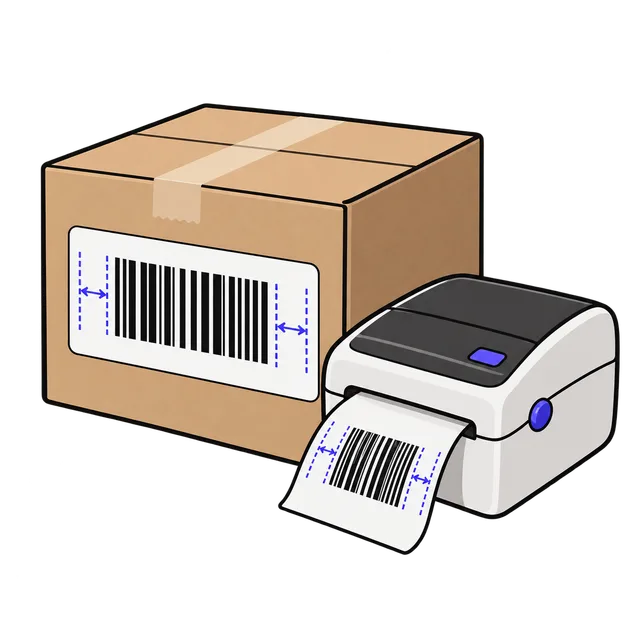
Print at 100% scale and keep a blank margin (the quiet zone) on both sides of the bars. Dark bars on a light background scan best; if you export without a background, place the barcode on a white or light area.
For print, export larger than you need (for example 1200 px wide) and scale it down in your layout rather than enlarging a small image. The nominal UPC-A size is about 1.47 × 1.02 inches. Test the result with a phone scanner before printing a full batch.
Generating a barcode does not register the number. To sell through retailers, UPC and EAN numbers must come from GS1 (GS1 US in the United States). Code 128 and PDF417 are fine for internal labels without registration.
Frequently asked questions
Is this barcode generator free?
Yes. There is no signup, no watermark and no limit on downloads. The barcode is drawn in your browser with the open-source bwip-js library, so the text you enter is never uploaded.
What is the difference between UPC and EAN?
UPC-A has 12 digits and is used mainly in the US and Canada. EAN-13 has 13 digits and is used in most other countries. A UPC-A code is an EAN-13 with a leading zero, and modern retail scanners read both.
Why does my EAN-13 or UPC-A show an error?
The input must contain only digits and have the right length: 12 or 13 for EAN-13, 11 or 12 for UPC-A, 7 or 8 for EAN-8. If you enter the full length, the last digit must be the correct check digit.
Can I use these barcodes on products I sell?
The image itself is standard and scannable. For retail stores and most marketplaces you also need a registered GS1 number; enter that number here to create the barcode image.
How do I check that my barcode works?
Open the downloaded PNG on screen or print it, then scan it with the Barcode Scanner tool on fbuff or any phone scanner app and confirm the decoded value matches what you entered.