How to use
- Choose your transparent PNG, or drop or paste it. A 4500 × 5100 file is fine; it is analyzed in your browser and never uploaded.
- Read the verdict. PASS means almost every visible pixel is solid. WARNING or FAIL means there are semi-transparent areas the printer will halftone.
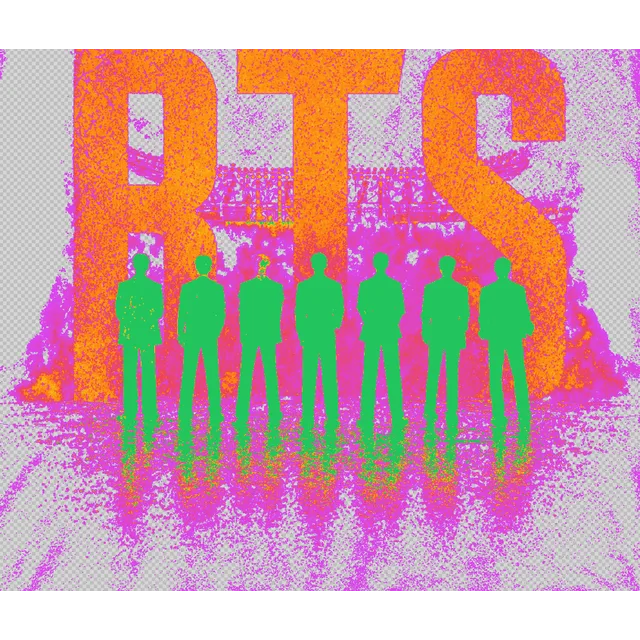
- Open the Heatmap: green is solid, yellow and orange are semi-transparent, red and magenta are under 50% opacity. Use Flicker, Shirt, Print sim and Contrast to confirm what you see.
- Pick Make solid or Halftone dots under Fix it, check the live preview, and download the fixed PNG at the same size and 300 DPI.
Why does my DTG or DTF print look dark or speckled?
A pixel with 100% opacity is solid ink. A pixel with 10%, 30% or 60% opacity is not a lighter ink: print software has no way to print half a drop, so it converts every semi-transparent area into a pattern of tiny halftone dots. On a dark shirt, or when the dots are coarse, that pattern looks dark, grainy and muddy instead of soft.
Putting the design on a black or white background in an editor does not reveal the problem, because a 3% opacity pixel is almost invisible on both. That is why this tool uses false color, a flickering background and an alpha-only view: they make faint pixels easy to see.
The second cause: dark ink on a dark shirt
Printers lay colored ink on the shirt, and ink does not lighten the fabric. Black, navy or dark brown artwork on a black or navy shirt has almost no contrast, so it seems to vanish. The Contrast view paints in red every part of the design whose contrast against the chosen shirt color is too low, so you can switch to lighter inks before you print.
Tips for print-ready PNG designs
Keep every area of the artwork at 100% opacity. Avoid soft shadows, glows, smoke and low-opacity textures; a thin anti-aliased edge of one or two pixels is normal and not a problem.
Make texture, grunge and gradients out of solid dots or distressed shapes instead of transparency, so you control the look rather than the print software. Use light, bright inks on dark shirts and give very dark details a lighter outline.
Export at the real print size: 4500 × 5400 pixels at 300 DPI for a full T-shirt front, as Printify's guide for T-shirt designs asks. Use the DPI Checker if you need to confirm the size.
| Opacity | What the printer does |
|---|---|
| 100% | Prints as solid ink |
| 50-99% | Turned into a dense halftone dot pattern |
| 1-49% | Turned into sparse dots; often looks like dirt or speckles |
| 0% | Nothing is printed |
Frequently asked questions
What counts as a semi-transparent pixel?
Any pixel whose alpha value is between 1 and 254, which means an opacity between about 0.4% and 99.6%. Only 255 (100%) is solid and only 0 is fully transparent.
Is a little semi-transparency on the edges a problem?
No. Anti-aliasing makes the edge of every smooth shape slightly semi-transparent, usually under 5% of the visible pixels, and that prints fine. Large soft areas are the problem.
What do PASS, WARNING and FAIL mean?
PASS is under 5% semi-transparent pixels among the visible ones, WARNING is 5 to 20% and FAIL is over 20%. They are a guide, not a printer rule: a design with one big faint shadow can fail even if the rest is solid.
Does Make Solid change how my design looks?
Yes. Pixels at or above your threshold become fully opaque and the rest fully transparent, so soft edges and shadows become hard. Use the live preview to pick a threshold, or choose Halftone dots to keep the soft look as solid dots.
What are the halftone dots for?
They turn faint areas into 100% opaque dots at a screen size you choose, so you decide what the shading looks like instead of the print software. Lower LPI gives larger dots.
Is my file uploaded anywhere?
No. The PNG is read and analyzed in your browser, in a background thread, and any fixed file is saved straight to your device.