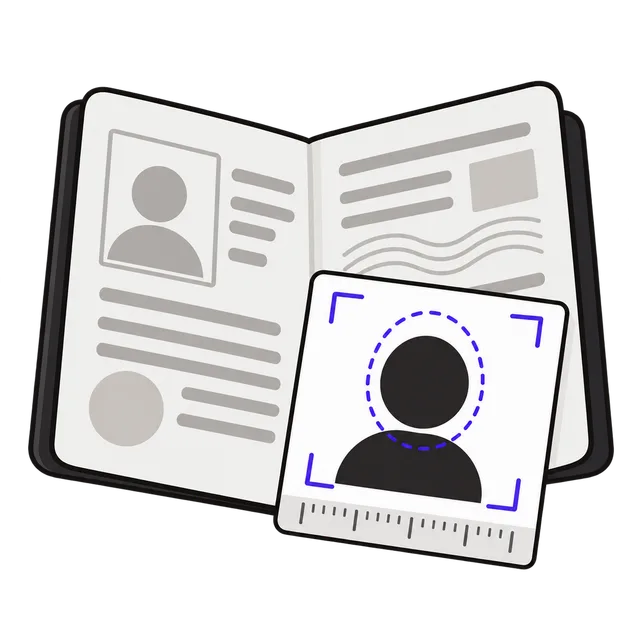
How to use
- Pick the photo size for your document, then upload a photo taken against a plain white wall.
- Drag the photo and use Zoom until your chin sits on the red line, the top of your hair is inside the blue band and your eyes are in the green band. Use Straighten if your head is tilted.
- Keep 600 DPI unless a form asks otherwise, set the file size limit the form gives, and click Download photo. For paper copies, download the 4×6 print sheet and print it at a photo kiosk or at home.
Why online forms reject photos that look the right size
A photo can be exactly 4 × 6 cm or 2 × 2 inches and still be refused. Size in cm only means something together with the number of pixels: a 3 × 4 cm crop saved at screen resolution (96 DPI) is just 113 × 151 pixels, too small for the face checks that passport sites run. Many people only get through by making the photo "bigger", for example 6 × 8 or 9 × 12 cm, which really just gives it more pixels.
This maker keeps the exact shape of the document and lets you choose how many pixels to put in it: 300, 600 or 900 DPI. A 4 × 6 cm photo at 600 DPI is 945 × 1417 pixels. The resolution is also written into the JPG file, so software that reads the size in cm or inches sees the right size. The US preset stops at 1200 × 1200 pixels, the largest the State Department accepts online.
Some forms also cap the file size; the US DS-160 visa form and the Diversity Visa lottery allow 240 KB. Enter the limit and the photo is compressed just enough to fit.
Photo sizes and head size by document
The head is measured from the bottom of the chin to the top of the hair. The guides in the tool follow these numbers:
| Document | Photo size | Head size | Online file |
|---|---|---|---|
| US passport and visa | 2 × 2 in (51 × 51 mm) | 1–1 3/8 in (50–69% of height) | 600–1200 px square, JPG |
| Vietnam passport | 4 × 6 cm | Face about 75% of the photo; eyes 3/5 of the way up | At least 300 DPI |
| Schengen visa, EU, UK | 35 × 45 mm | 32–36 mm (UK: 29–34 mm) | UK: at least 600 × 750 px |
| Canada passport (printed) | 50 × 70 mm | 31–36 mm | Online photos use a different format |
| ID and form photos | 3 × 4 cm | No fixed rule; same proportions as 4 × 6 | As the form asks |
How to take a passport photo at home
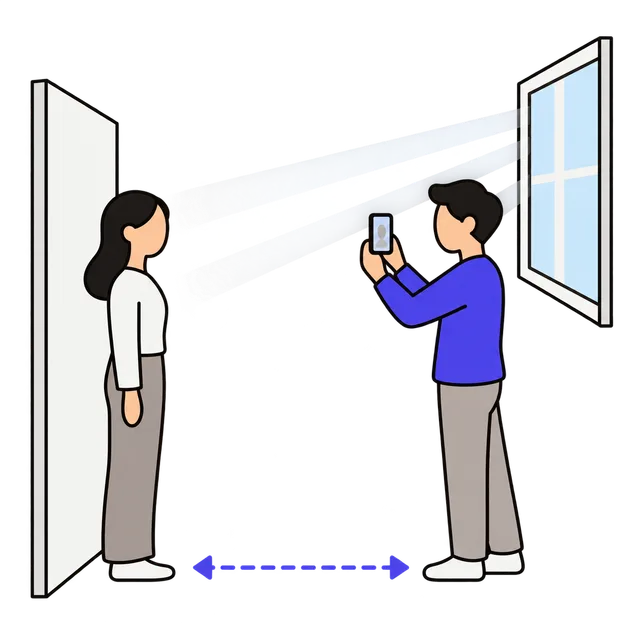
Stand about 4 feet (1.2 m) in front of a plain white or off-white wall, so your shadow does not fall on it. Face a window or another soft light; overhead light alone leaves shadows under the eyes and chin. Have someone else take the photo from 4–5 feet away with the camera at eye level. Selfies are taken too close, which distorts the face.
Look straight at the camera with a neutral expression and your mouth closed. Both ears should show, and glasses and hats come off (the US has not allowed glasses since 2016; Vietnam's guide also asks for no glasses and a bare head). Use the phone's normal camera at full resolution, with no portrait mode, filters or beauty effects, then crop it here. If the wall is not plain white, remove the background first with the Background Remover.
Printing copies on a 4 × 6 photo
The print sheet puts as many copies as fit on one 4 × 6 inch (10 × 15 cm) photo, for example six US 2 × 2 photos, four 4 × 6 cm photos or ten 3 × 4 cm photos, with thin cut lines. A single 4 × 6 print at a pharmacy kiosk or photo shop costs far less than a set of passport photos. Print it at 100% ("actual size"), not "fit to page", then check one copy with a ruler before cutting.
Frequently asked questions
Which resolution should I choose?
600 DPI suits almost every online form: 4 × 6 cm becomes 945 × 1417 pixels and 35 × 45 mm becomes 827 × 1063. Choose 300 DPI if a form limits the number of pixels, or 900 DPI only if it asks for more. For the US, 600 DPI gives 1200 × 1200, the maximum allowed.
The Vietnam guide mentions JPEG 2000. Is a normal JPG accepted?
The 2020 guide for the online passport form lists the format as "jpeg 2000". Browsers cannot create JPEG 2000 files, so this tool saves a standard JPG. If the form's checker refuses it, read its error message, which usually names the problem.
Does the tool check that my photo will be accepted?
No. It sets the size, shape, pixels and file size; the guides help you place your head and eyes. Lighting, expression, background and focus are up to the photo, and only the agency's own check decides.
Why does it say my photo will look soft?
The part of your photo inside the frame has fewer pixels than the file you are making, so it has to be enlarged. Use a full-resolution photo, or zoom out.
Is my photo uploaded?
No. Cropping, resizing and compression all happen in your browser, and the photo never leaves your device.