How to use
- Download the label from your carrier or marketplace as a PDF (or a PNG or JPG) and choose it here.
- Look at the 4 × 6 preview. If the page also has a receipt or instructions, pick the half the label is on: Top, Bottom, Left or Right. Leave Trim white space on so the label fills the page.
- Click Download 4×6 PDF, open it and print to your label printer with paper size 4 × 6 in and scale 100% (Actual size).
Letter-size labels on a 4 × 6 thermal printer
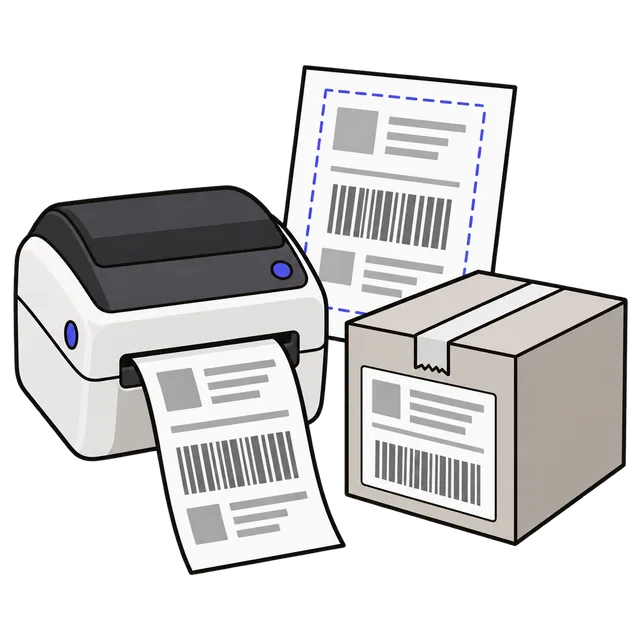
Many shipping sites hand you the label on a full 8.5 × 11 inch page, sized for an office printer: the label in one half, and a receipt, packing instructions or blank space in the rest. A 4 × 6 thermal printer prints that whole page shrunk onto one label, so the barcode comes out too small to scan, or it prints only a corner of the page.
This tool finds the label on the page, cuts away everything else and places it on a 4 × 6 inch page, turned upright if the label sits sideways. A PDF with several labels, one per page, becomes a PDF with one 4 × 6 label per page, ready to print in one go.
Why the barcode stays sharp
Most shipping label PDFs draw the barcode and text as vector shapes, not as a picture. The converter copies just the label area of the original page as vectors, so lines stay crisp at any printer resolution, whether 203 or 300 dots per inch, and the file stays small. Only PNG or JPG labels, and PDF pages that are stored rotated, are cut as a 300 DPI image, which is still sharper than a 203 DPI thermal printer can print.
Trim white space looks for the dark parts of the page (the label border, text and barcodes) and crops tightly around them, so the label is scaled up to fill the 4 × 6 page. Turn it off to keep the whole half or page exactly as it is.
Printer settings that matter
Most printing problems come from the print dialog, not the label file:
| Setting | Choose | If it is wrong |
|---|---|---|
| Paper size | 4 × 6 in (100 × 150 mm) | The label prints small, or splits across two labels |
| Scale | 100% or Actual size | Fit to page can shrink the barcode |
| Orientation | Portrait | The label prints sideways and is cut off |
| Printer | Your label printer, not the office printer | Nothing prints, or a full page comes out |
Frequently asked questions
Which printers does it work with?
Any printer that takes 4 × 6 inch labels, including the thermal label printers sold by Rollo, Zebra, MUNBYN and others. The output is a normal PDF, so you print it from your browser or PDF viewer like any other document.
The preview shows the receipt instead of the label. What do I do?
Choose the half of the page that holds the label (Top half, Bottom half, Left half or Right half). The blue box on your page shows exactly what will be printed.
Will the carrier accept a cropped label?
The label itself is not changed, only cut out and scaled to fit 4 × 6, which is the size most carriers design their labels for. Scan the barcode with your phone once if you want to be sure it reads.
Can I convert several labels at once?
Yes. Choose a PDF with one label per page, up to 30 pages, and you get one 4 × 6 page for each. The same half and trim settings are used for every page.
Is my label uploaded?
No. The PDF is read and rebuilt in your browser, so names, addresses and tracking numbers never leave your device.